
If you are planning to visit a government health clinic from 2026 onwards, there is one thing you need to know.
Most Klinik Kesihatan appointments can now be booked directly through the MySejahtera app, making clinic visits more organised and a lot less chaotic.
While walk-ins are still allowed in some cases, patients are now encouraged, and sometimes required, to book an appointment in advance.
Here is how the process works step by step.
Step 1: Open MySejahtera & head to “Appointments”
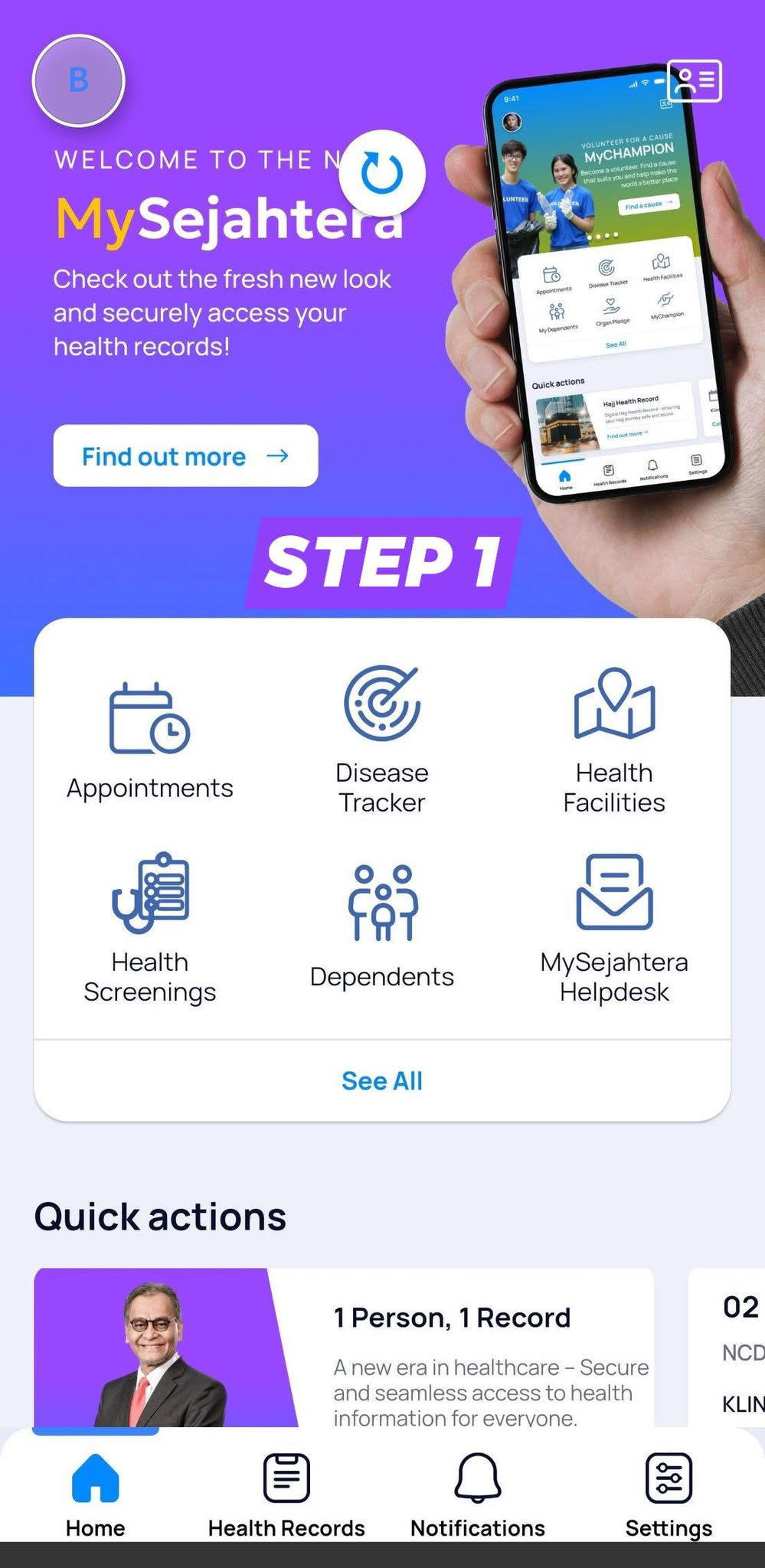
Start by opening the MySejahtera app on your phone and make sure it is updated to the latest version.
From the home screen, tap on the Appointments section. This is where all clinic-related bookings are managed.
Step 2: Book a new appointment or check in for walk-ins
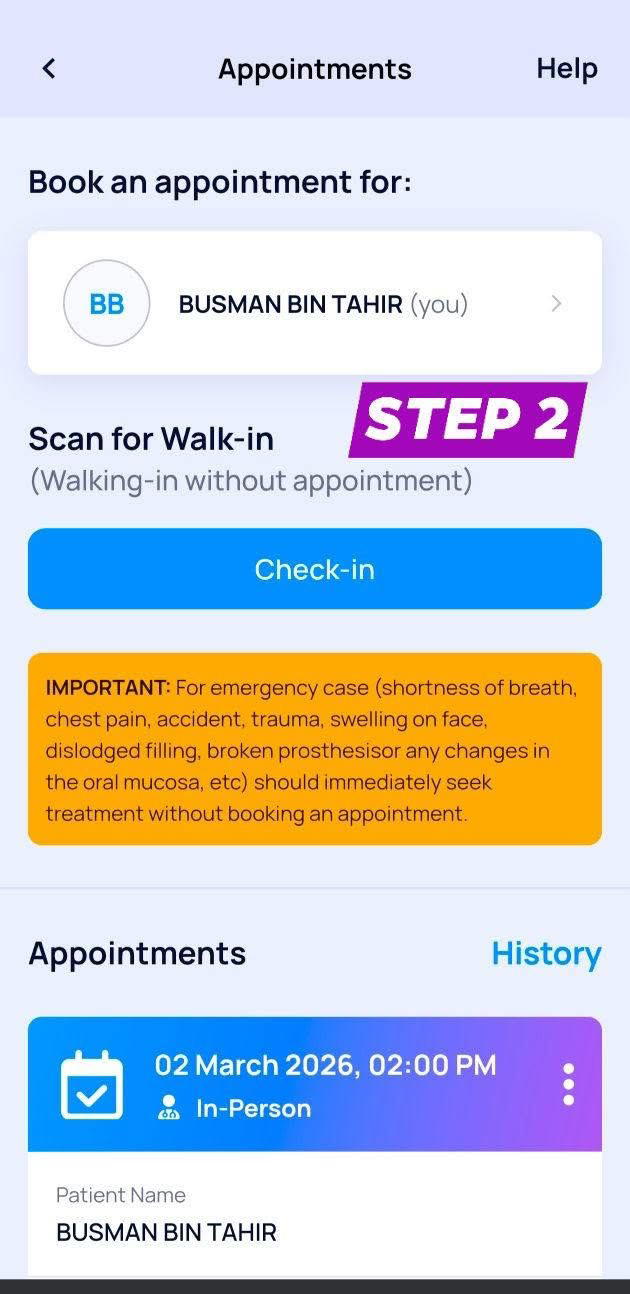
Tap on Book Appointment to create a new booking.
If you arrive at a clinic without an appointment, there is also a Check-In option for walk-ins, depending on clinic availability.
Step 3: Choose the type of service you need
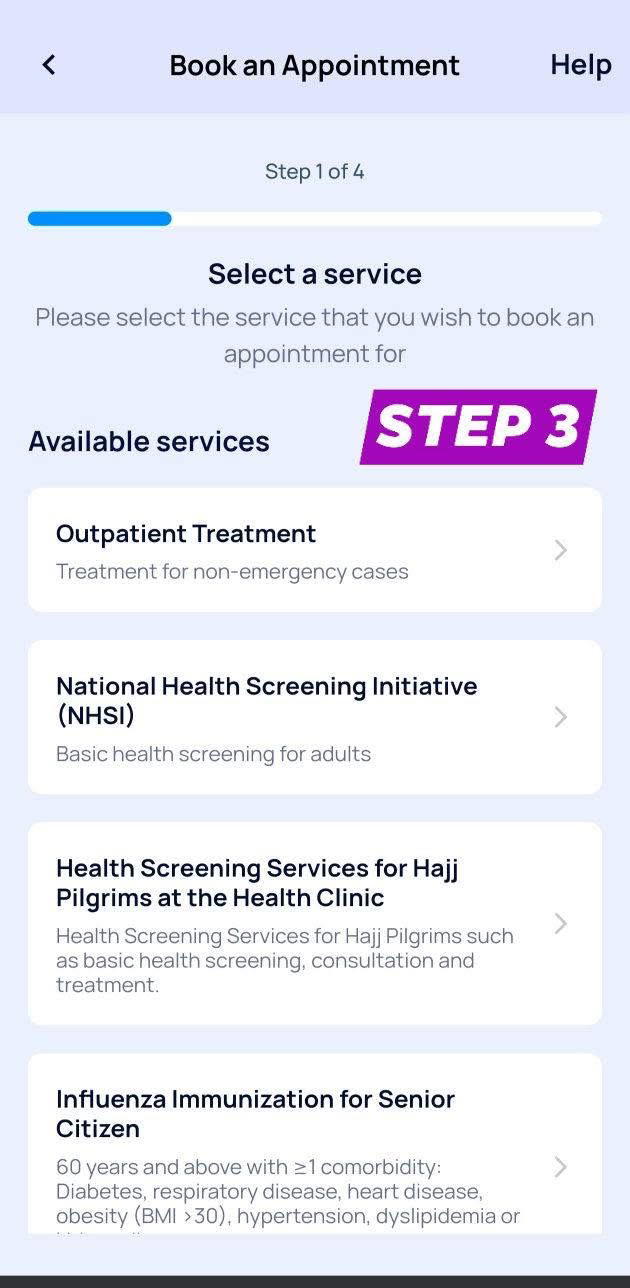
Next, select the service required.
For most general medical visits, choose Outpatient Treatment. Other options such as health screenings or specific programmes will appear based on what the clinic offers.
Step 4: Pick a clinic near you
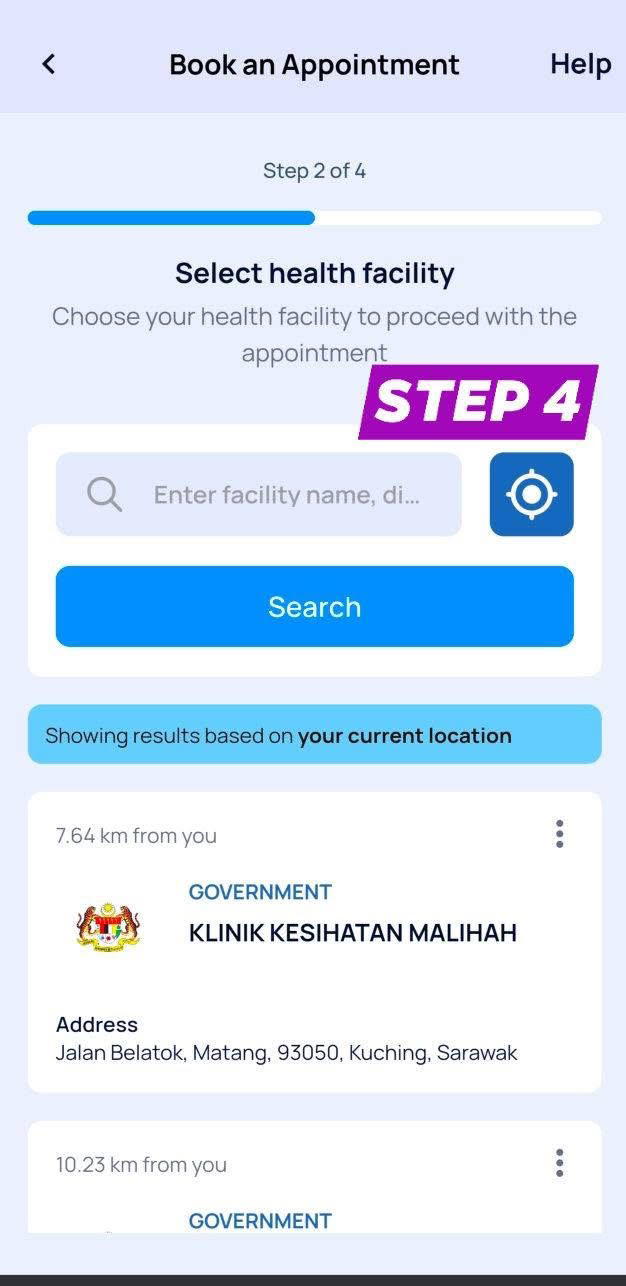
After selecting the service, search for a nearby Klinik Kesihatan.
The app will show clinics based on your location, complete with distance information, making it easier to choose the most convenient option.
Step 5: Select date & time slot
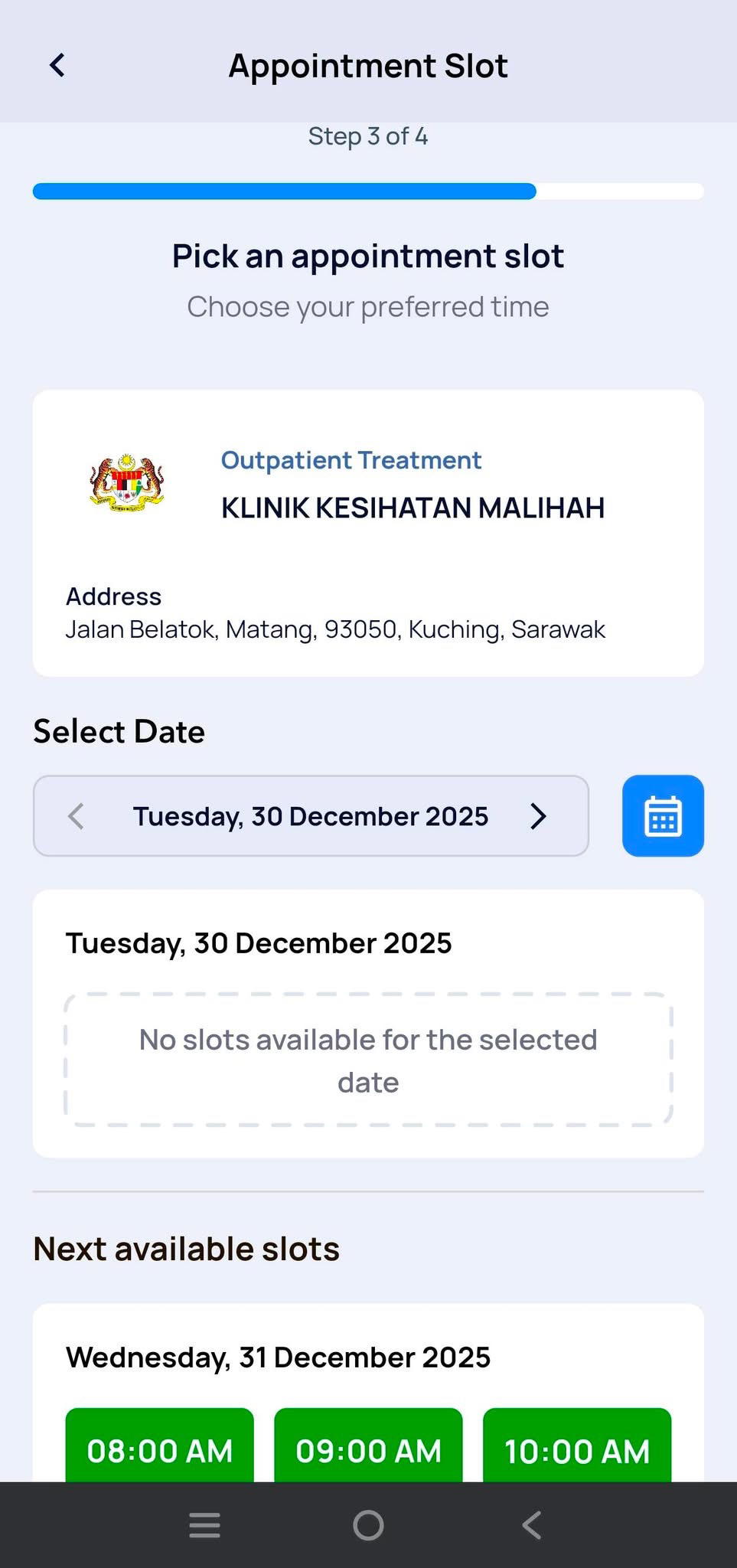
Once you have chosen a clinic, available dates and time slots will be displayed.
Pick a time that works for you and fits your schedule. If a date is fully booked, the app will show the next available slots instead.
Step 6: Confirm & save your appointment
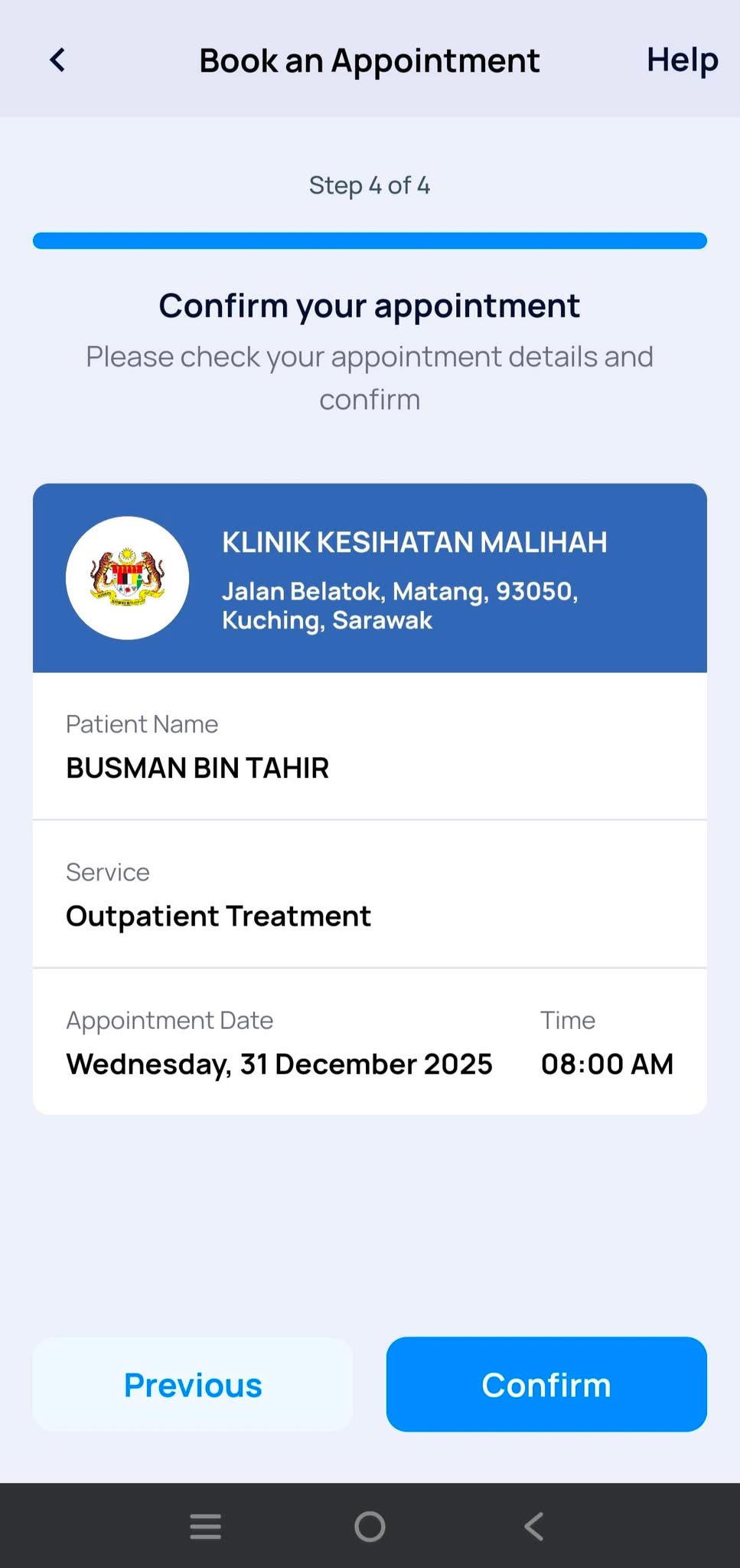
Review your appointment details and tap Confirm.
Your booking will be saved in the app and can be accessed anytime under the Appointments section.
Even with an appointment, it is best to arrive slightly earlier than your scheduled time.
Make sure your personal details in MySejahtera are accurate, and keep your appointment confirmation handy within the app in case verification is needed.
Less waiting, more planning
With this new system, clinic visits no longer mean spending hours in line or guessing how long you will have to wait.
From 2026 onwards, MySejahtera is set to become a key part of everyday healthcare, helping Malaysians plan their clinic visits with just a few taps on their phones.